My Homelab
Is it still a homelab if everything is routed through Oracle Cloud?
Tags
Tech stack
- server
- hardware
- homelab
- Oracle Cloud
- Tailscale
- Traefik
- Docker
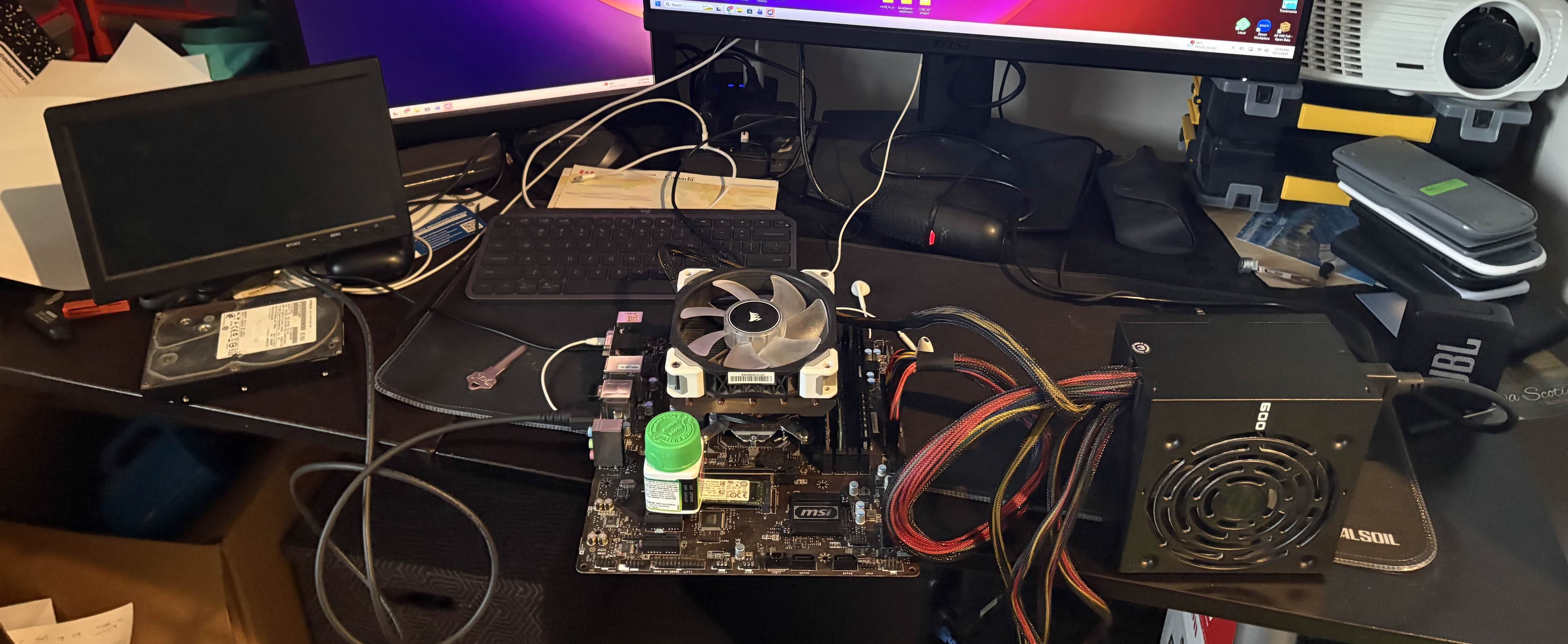
I've been wanting to set up some sort of homelab / server for a while, especially after upgrading my desktop which left me with everything but a case from the old build.
I had an i7-6700, a random assortment of three 8 GB RAM sticks, a 1 TB NVMe drive, a motherboard and power supply, and a cardboard box to toss it in (with some air holes near the fans).
My main goal was to have a secure server that I could use to host a few game servers for myself and some friends, a file server, and some other services. I also wanted to use it as an opportunity to learn about server administration, networking, and self-hosting.
The BIOS is Gone
This was a rough way to get started.
I'd set up the computer on top of my messy desk, plopped my spare NVMe drive in place with a bottle of allergy meds to hold it down, prepared a bootable Ubuntu Server USB, and shorted the power pins with an old key to turn it on.
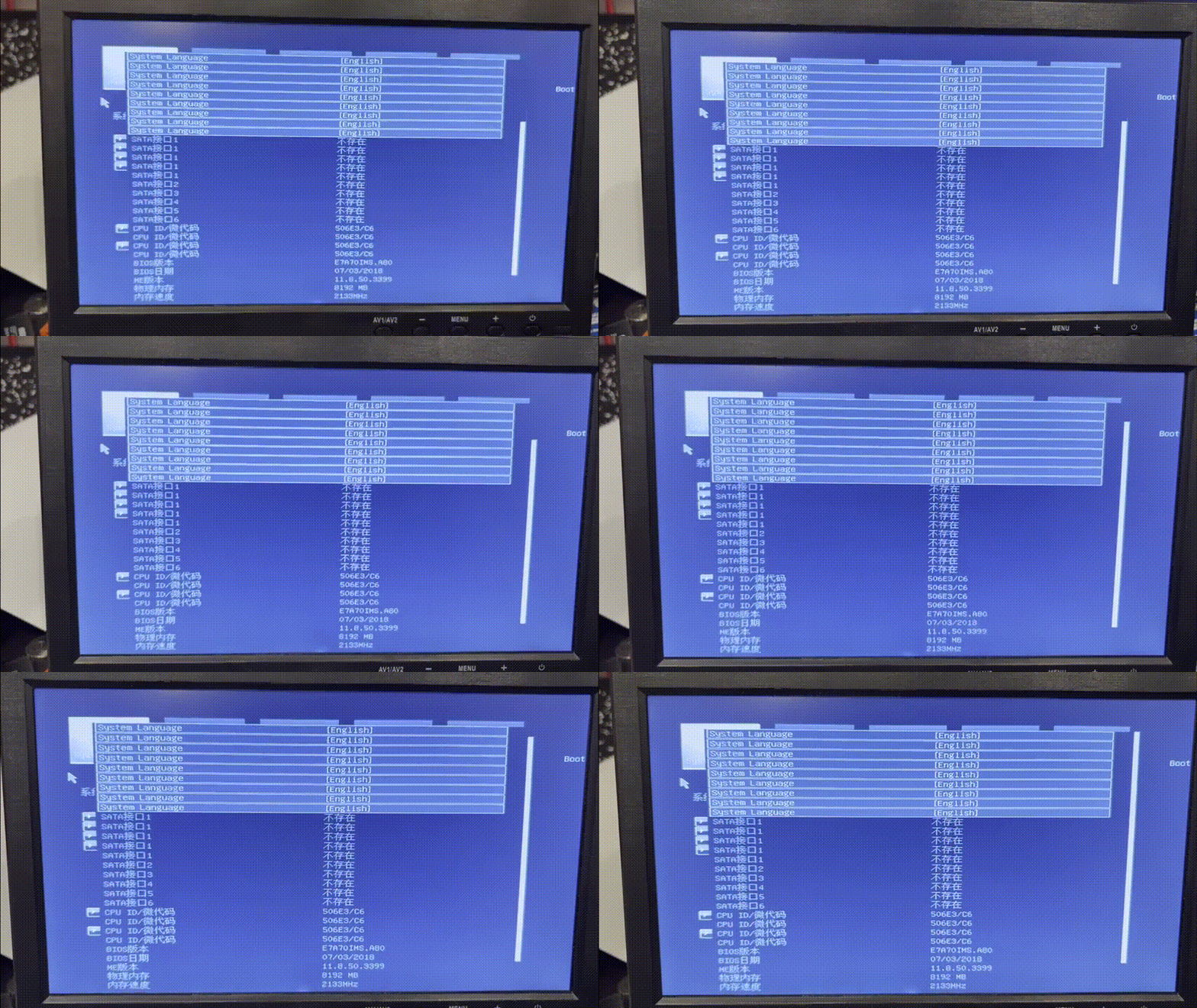
This is not what I expected to see.
I attempted to figure out why this was happening: resetting the CMOS, trying all the RAM in different slots one at a time, but nothing worked.
Occasionally the BIOS would load somewhat correctly, but it was extremely unstable and would constantly crash or freeze.
Nonetheless, after about an hour of fighting with it, I managed to get the boot order changed to boot from the USB drive.
Networking Woes
Second things second, I needed a wired internet connection. Thankfully, my apartment is wired for Ethernet, but every cable was unlabeled, and we had more wall jacks than cables at the router, so I had to do some testing to figure out which cable went where.
I set up SSH (with keys, no insecure passwords here!), connected from my laptop, and started configuring things. I wanted to set up Traefik as a reverse proxy to route traffic to different services, and logged into my Telus router to configure port forwarding.
After an hour of trying to figure out why I couldn't access the server from outside my network, messing about with the router firewall, DNS, and more, I discovered that Telus had us behind CGNAT, and that port forwarding wouldn't work no matter what I did on the router.
A Brief Look at Cloudflare Tunnels
I considered using Cloudflare Tunnels to work around this, but ultimately decided against it. I planned to host a few game servers, and running those through Cloudflare Tunnels would not work without even more complicated setups—such as requiring my friends to install mods just to connect, even for something like Minecraft.
Oracle Cloud to the Rescue
A while ago, I discovered Oracle Cloud's free tier, and the massive amount of resources they provide for free if you use their ARM instances - 4 vCPUs, 24 GB of RAM, and 200 GB of block storage.
It works quite well for running small Minecraft servers, but I figured I could also use it as an entry point for my home server. I removed my existing instance that was hosting a few Minecraft servers and created a new ARM instance, then set up Tailscale and Traefik on it.
Reverse Proxy
I'd seen a lot of things about NGINX reverse proxies, but I wanted to try something a bit different, so I went with Traefik instead after seeing people discuss it in self-hosting Reddit threads and forum posts.
What I found neat about it is that I just need two pretty small configuration files to get it up and running, it can automatically obtain and renew SSL certificates from Let's Encrypt once I set up DNS records in Cloudflare, and it can automatically discover new services on the same machine and route traffic to them without needing to restart the proxy.
For services on the home server I just need to tell Traefik to route traffic to the Tailscale IP address of the home server, and it takes care of the rest. Here's an example of how I could set it up to route traffic to a whoami service running on my home server:
# Traefik configuration file (traefik.yml)
# Example of routing traffic to a whoami service
# running on the home server through Tailscale
http:
  routers:
    core-whoami:
      # Match requests with this Host header
      rule: "Host(`core.personal.cheyne.dev`)"
      # Listen on the HTTPS entrypoint
      entryPoints:
        - websecure
      # Forward matched traffic to this service (listed later)
      service: core-whoami-svc
      # Enable TLS using the Let's Encrypt resolver
      tls:
        certResolver: le

  services:
    core-whoami-svc:
      loadBalancer:
        servers:
          # The Tailscale IP of the home server,
          # and the port the whoami service is running on
          - url: "http://tailscale-ip:port"
Tailscale
Tailscale is a mesh VPN that allows me to directly connect to my home server from the Oracle Cloud instance without needing to open any ports on my router. From there, I configured Traefik to route traffic to my home server with Tailscale based on hostnames, and set up DNS records in Cloudflare pointing to the Oracle Cloud instance.
I also use it for ssh-ing into my home server when I need to manage it, and for accessing any services that I choose not to route through Traefik.
Security
I'm fairly security-conscious, and I wanted to make sure my homelab was secure, especially since I was exposing some services to the internet.
To start, the Oracle Cloud instance is running iptables to only allow incoming connections for SSH and the ports I have assigned for various services. To add an extra layer of security to the SSH port, I have fail2ban set up to block any IPs that have too many failed login attempts.
On the home server I'm using the default Ubuntu firewall (ufw) to block all incoming connections except for assigned service ports and LAN traffic.
Traefik is configured to use HTTPS with a certificate from Let's Encrypt, and I have it set up to redirect all HTTP traffic to HTTPS.
Container time!
Everything aside from the firewalls, Tailscale, and fail2ban, I'm using Docker containers to run my services.
Traefik is running in a container on the Oracle Cloud instance, and all my other services are running in containers on my home server. This makes it easy to manage and update my services, as well as keep them isolated from each other.
I've really fallen in love with Docker and containerization in general. It's made it so much easier to set up and manage my services, and it's hard to imagine going back to running things directly on the host.
Current Setup and Future Plans
Currently, I'm running a few services on my home server, all in Docker containers:
- A Minecraft server for me and my friends
- WordPress for hosting an in-development site for a community centre
- My personal website, which I am working on migrating from Vercel to my own server for fun and learning purposes
In the future, I plan to add a few more services, such as:
- A file server for storing and sharing files between my devices once hard drives become slightly more affordable
- Plex or Jellyfin for media streaming
- Pterodactyl for game server management to easily manage multiple game servers and allow my friends to manage their own servers without needing access to the entire server